
In today’s development world, AI tools like Cursor, GitHub Copilot, ChatGPT Codex, Claude, Google Antigravity and other coding assistants are becoming very useful for developers and technical teams. But one important thing I have observed as a Senior Software Engineer is this:
AI gives better output when we give it better context.
Many developers start a new project by directly asking AI to generate code. This may work for small tasks, but for real-world project development, this approach can create problems. The code may not follow the project architecture, naming conventions, coding standards, folder structure, security practices, or business requirements properly.
So before starting development with AI, it is always better to first create a proper raw structure for the project.
1. Give AI a Similar Project Reference
When we start a new project, one of the best approaches is to provide AI with a reference from a similar existing project.
This can include:
- Folder structure
- API pattern
- Authentication flow
- Database design approach
- Service/repository pattern
- Error handling format
- Response structure
- Frontend component structure
- Deployment or CI/CD approach
When AI understands how we usually build projects, it can generate code that is much closer to our actual development style.
Instead of repeatedly explaining everything in every prompt, we can give AI one good reference and then continue development with better consistency.
2. Create Project-Level .md Files
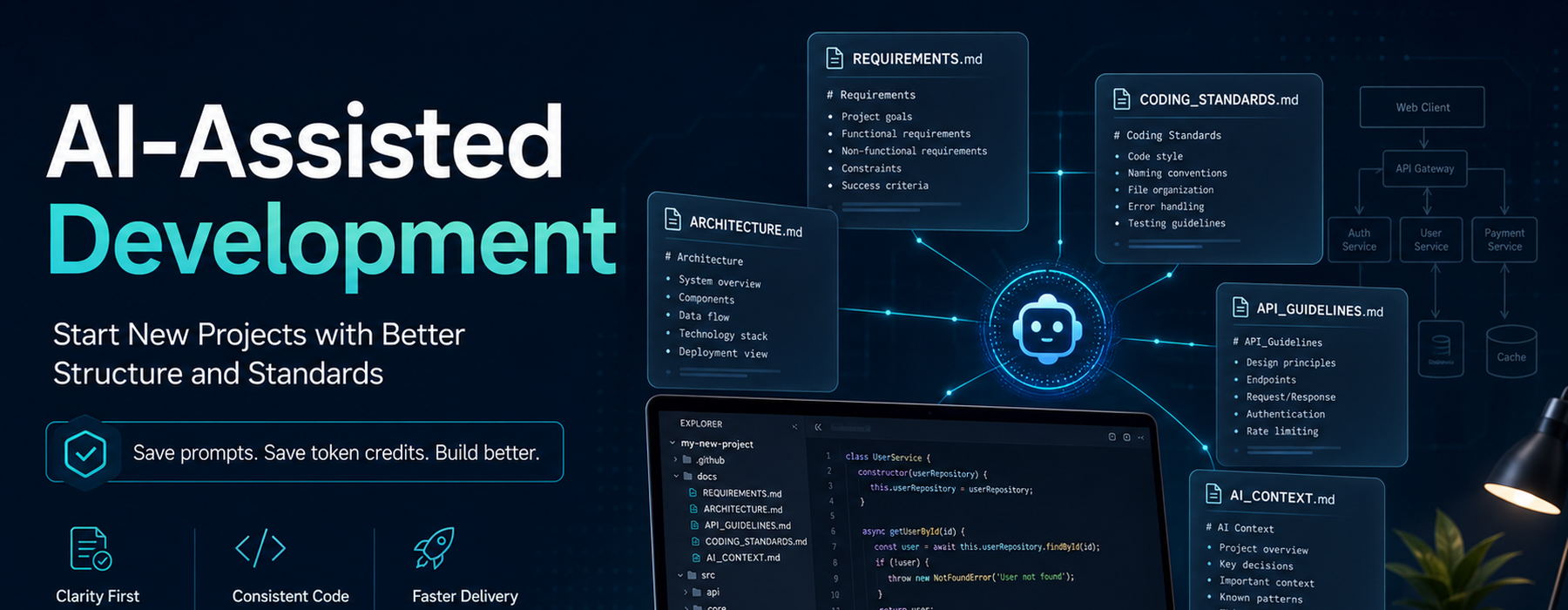
Another very useful practice is to create important Markdown files at the beginning of the project.
For example:
/docs
  ├── REQUIREMENTS.md
  ├── CODING_STANDARDS.md
  ├── ARCHITECTURE.md
  ├── DATABASE_DESIGN.md
  ├── API_GUIDELINES.md
  ├── SECURITY_GUIDELINES.md
  ├── GIT_WORKFLOW.md
  ├── DEPLOYMENT_NOTES.md
  └── AI_CONTEXT.md
These files act like a knowledge base for the project.
Whenever we are working with AI tools, we can ask AI to follow these files before generating code. This helps the AI understand the project expectations clearly.
3. Why .md Files Are Important in AI-Assisted Development
AI tools work based on the context we provide. If the context is weak, the output will also be weak.
For example, instead of writing this again and again:
Follow Laravel coding standards, use service classes, validate request data, use proper API response format, add error handling, follow our database naming convention, and do not write business logic in the controller.
We can simply define these rules once in CODING_STANDARDS.md or AI_CONTEXT.md.
Then we can tell AI:
Please follow the coding standards and architecture defined in the project .md files.
This saves time, improves consistency, and reduces repeated prompting.
4. It Saves Prompt Effort and Token Credits
In AI-assisted development, every prompt has a cost — either in token usage, time, or mental effort.
If we do not maintain proper documentation, we repeatedly explain the same things to AI:
- How to write controllers
- How to write APIs
- How to structure services
- How to handle errors
- How to validate input
- How to write database migrations
- How to follow naming conventions
- How to write secure code
This increases prompt length and consumes more token credits.
But if we maintain proper .md files, we can reuse the same project context again and again. This makes AI usage more efficient and more professional.
5. Better Output for the Whole Team
This approach is not only useful for one developer. It is very helpful for the whole team.
When multiple developers are working on the same project with AI tools, every developer may prompt AI differently. This can create inconsistent code.
But if the team has common documentation, then everyone can ask AI to follow the same project rules.
This helps in:
- Maintaining coding consistency
- Reducing review comments
- Improving onboarding for new developers
- Avoiding unnecessary architectural mistakes
- Keeping the project clean and maintainable
- Reducing dependency on one senior developer for repeated guidance
6. AI Is Powerful, but Direction Is Still Required
AI can generate code very fast, but speed alone is not enough.
As developers and technical leads, our responsibility is to provide the right direction. AI should not decide the architecture randomly. It should follow the standards, patterns, and requirements decided by the team.
A good AI-assisted development process should look like this:
Requirements → Architecture → Coding Standards → AI Context → Code Generation → Review → Refactor → Release
If we skip the initial structure and directly start generating code, we may save time in the beginning but lose much more time later in rework, debugging, and refactoring.
7. My Practical Recommendation
Before starting any new project with AI-assisted development, I recommend preparing at least these files:
REQUIREMENTS.md
ARCHITECTURE.md
CODING_STANDARDS.md
DATABASE_DESIGN.md
API_GUIDELINES.md
AI_CONTEXT.md
These files do not need to be perfect on day one. Even a raw structure is enough to begin with. We can improve them as the project grows.
The goal is simple:
Give AI enough project context so that it behaves like a developer who already understands your project.
Conclusion
AI-assisted development is not only about writing prompts. It is about giving proper context, structure, standards, and direction.
As a Tech Lead, I strongly feel that before starting development with AI, we should first prepare the project foundation. A similar project reference and well-written .md files can save a lot of time, reduce repeated prompts, save token credits, improve code quality, and make the whole team more productive.
AI can become a very powerful development partner, but only when we guide it properly.
Better context means better code.